 Jellyport
Move your Plex playlists
to Jellyfin
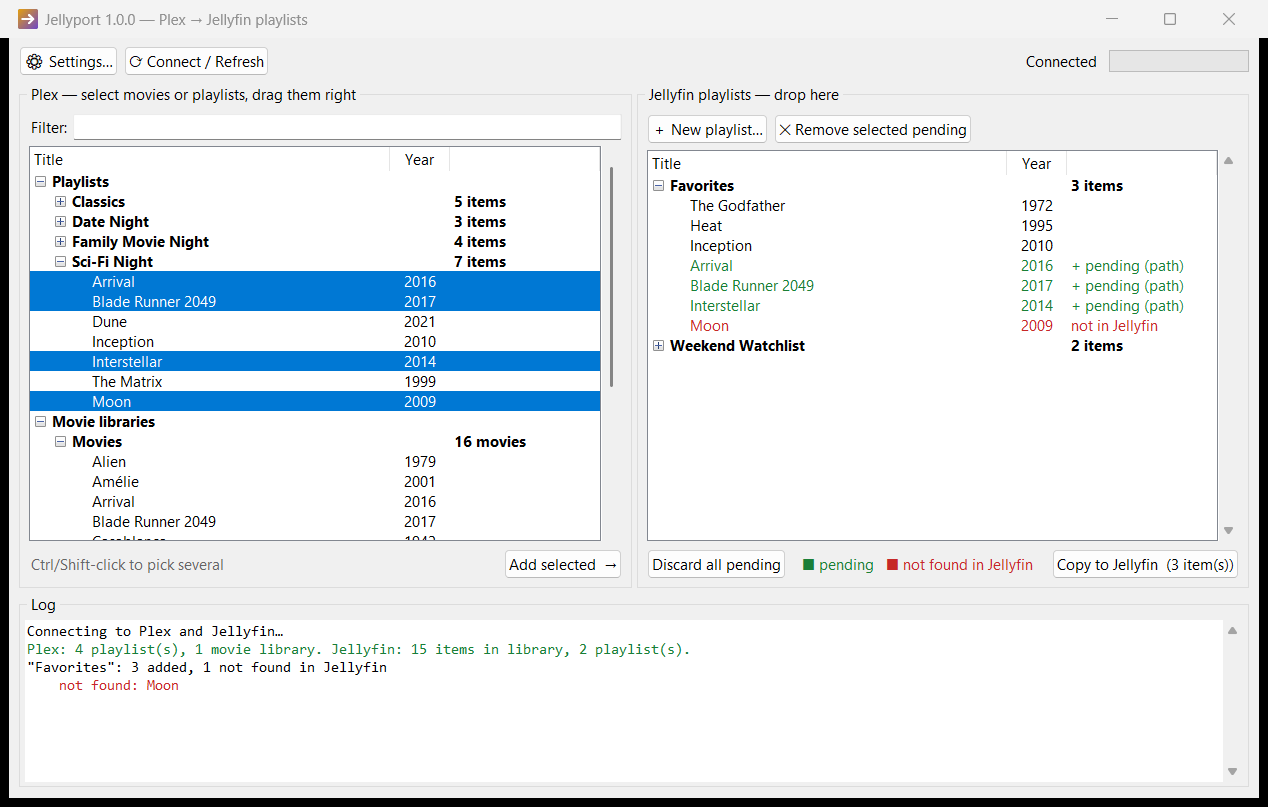
Switching to Jellyfin? Jellyport puts your Plex playlists next to your Jellyfin ones. Drag over what you want, check it, and copy. Free and open source.
Why Jellyport
Drag and drop
Drag single movies, a selection, or whole playlists from Plex into any Jellyfin playlist.
Preview first
New items show in green and missing ones in red. Nothing changes until you click Copy.
Smart matching
Movies are matched by file path, IMDb, TMDb or TVDb ID, or title and year.
Docker and NAS friendly
Path mappings handle Jellyfin in a container on Synology, Unraid or QNAP.
Safe to re-run
Movies that are already in a playlist are skipped, so you never get duplicates.
Stays on your network
It talks only to your own servers. No accounts, no cloud, no tracking.
How it works
- Install and connect. Enter your Plex token and a Jellyfin API key. The app shows where to find each.
- Browse. Your Plex playlists and libraries appear on the left, and your Jellyfin playlists on the right.
- Drag. Drop movies onto a playlist, or drop a whole Plex playlist onto empty space to recreate it.
- Copy. Check the green items and click Copy to Jellyfin.
FAQ
Is it free?
Yes. It's MIT-licensed open source. If it saves you time, a star on GitHub is appreciated.
Windows says "Windows protected your PC"
The installer isn't code-signed yet. Click More info → Run anyway, or build it yourself from the source on GitHub.
Some movies show "not in Jellyfin"
Make sure Jellyfin has scanned and identified them. If Plex and Jellyfin see your NAS folders under different paths, add a path mapping in Settings, e.g. /volume1/video/Movies => /media/movies.
Does it change anything in Plex?
No. Jellyport only reads from Plex. It writes only to Jellyfin, and only when you click Copy.
Music playlists? TV shows? macOS?
Video playlists, including TV episodes inside them, are supported. Music is on the roadmap. On macOS and Linux, run python jellyport.py. It needs only Python 3.